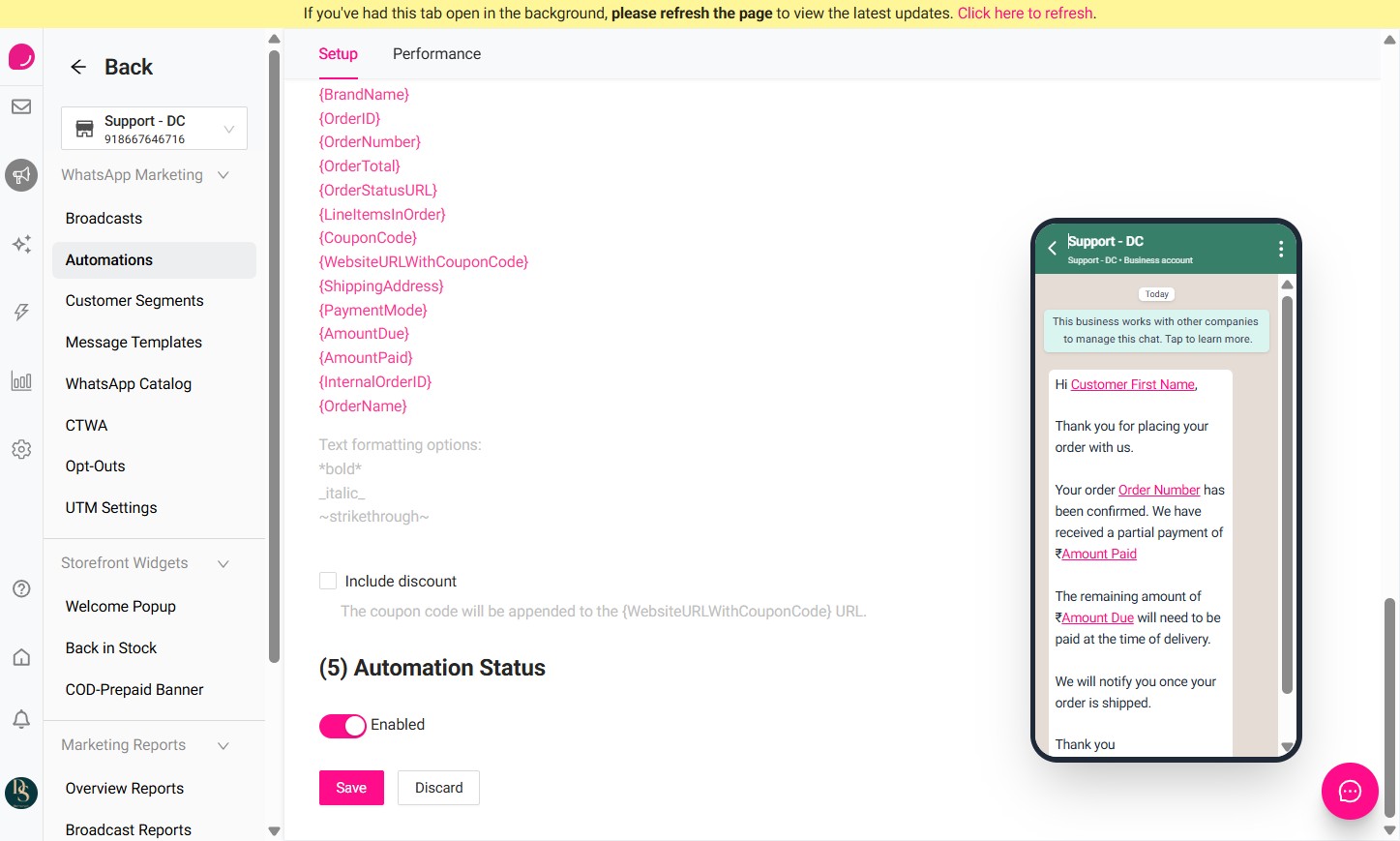
This guide explains how to create a WhatsApp automation for partially paid orders or Partial COD orders in DelightChat.
This automation can be used when a customer has paid part of the order amount online and the remaining amount needs to be collected at the time of delivery.
Important Note
If you are enabling this automation, please turn off the default Order Confirmation automation.
If both the default Order Confirmation automation and this Partially Paid Order automation are active, customers may receive duplicate order confirmation messages.
To avoid this, we recommend setting up separate automations for:
- Partially Paid / Partial COD Orders
- Fully Paid Orders
This ensures customers receive the correct WhatsApp message based on their payment status.
Steps to Create a Partially Paid Order / Partial COD Automation
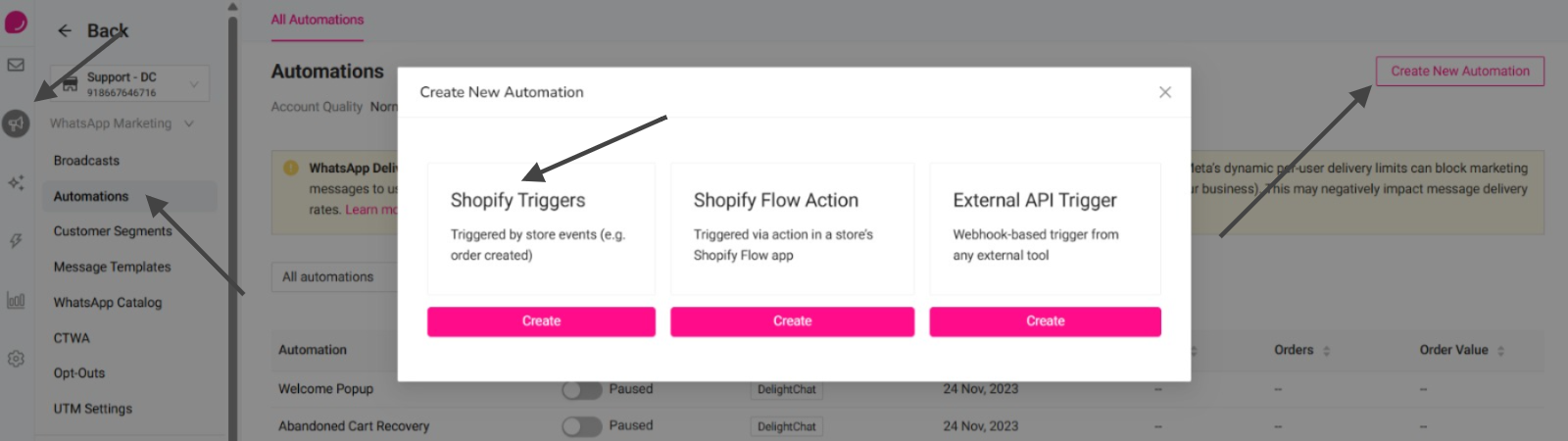
Login to the DelightChat, click on Marketing, go to Automations, click Create New Automation, and select Shopify Triggers.
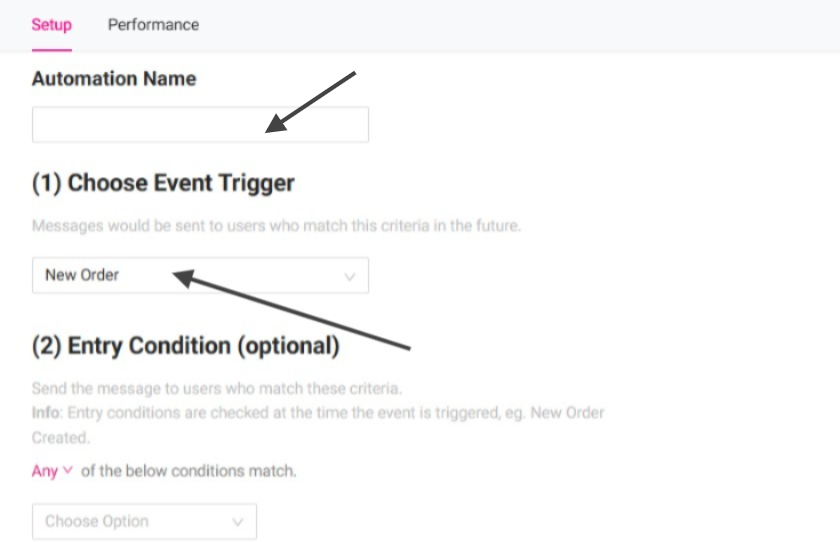
Set the automation name. Under Choose Event Trigger, select: New Order
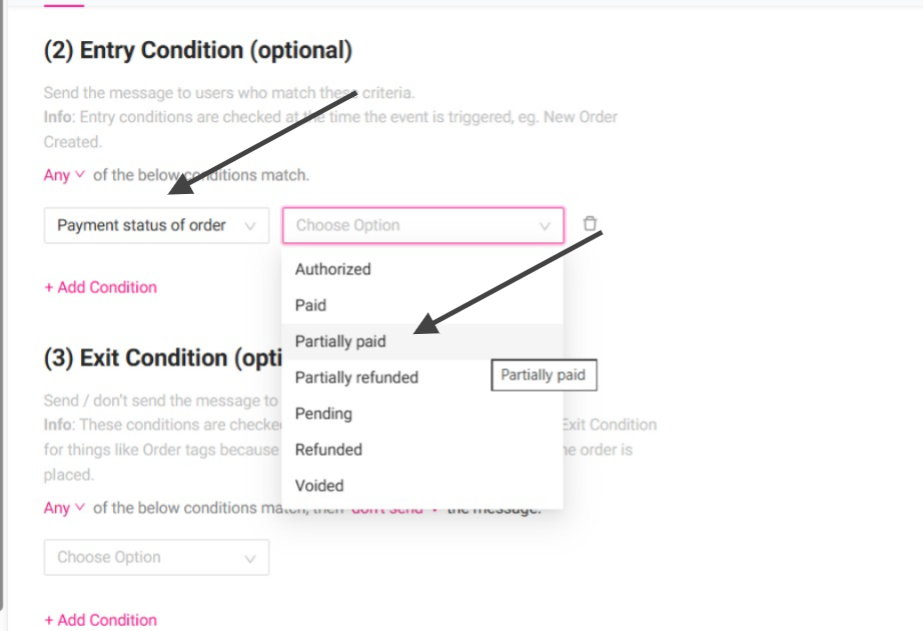
Under Entry Condition, add the below condition: Payment status of order → Partially paid. This ensures the automation is triggered only for orders where the payment status is partially paid.
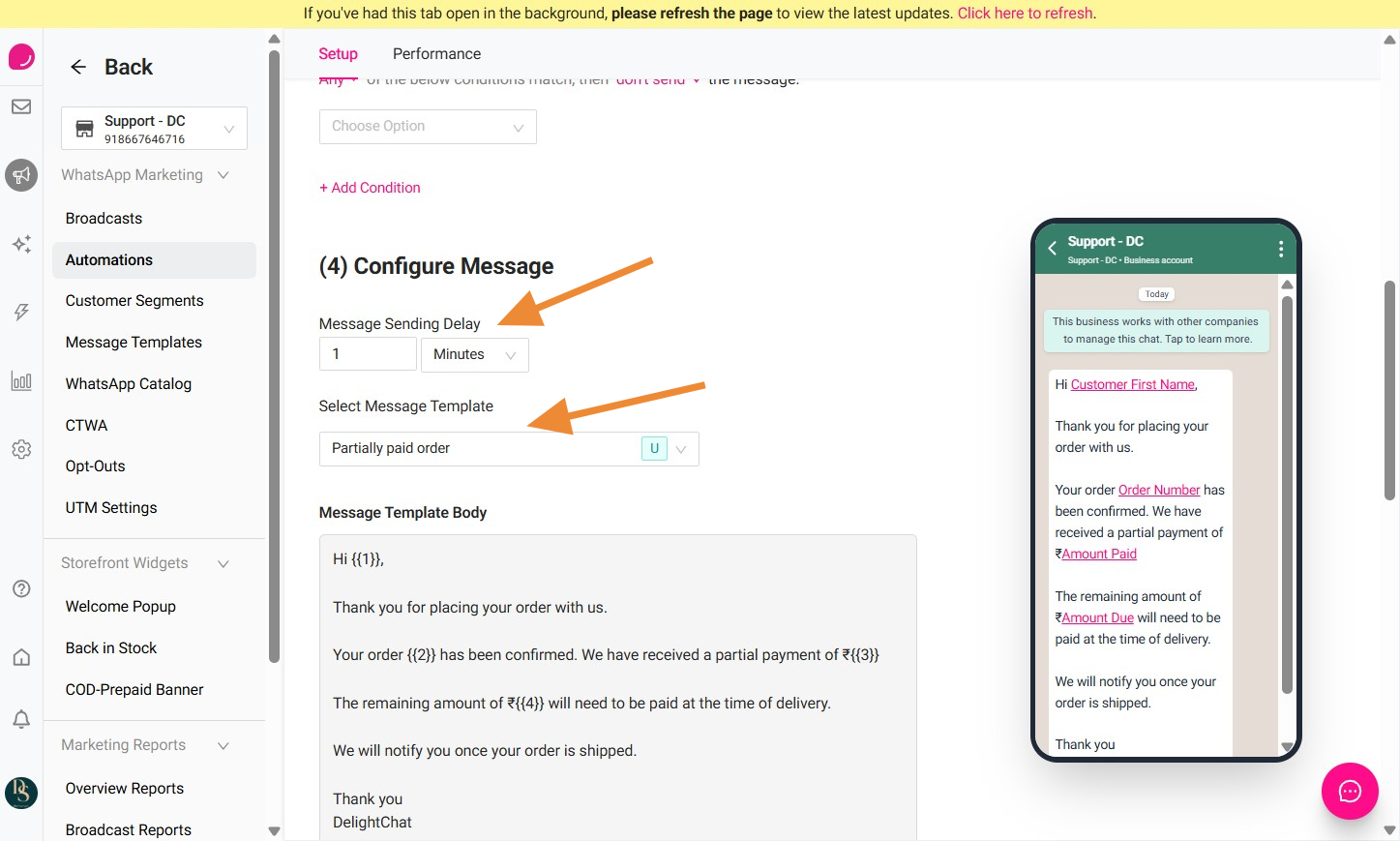
Set the message sending delay as required and select the Message Template from dropdown.
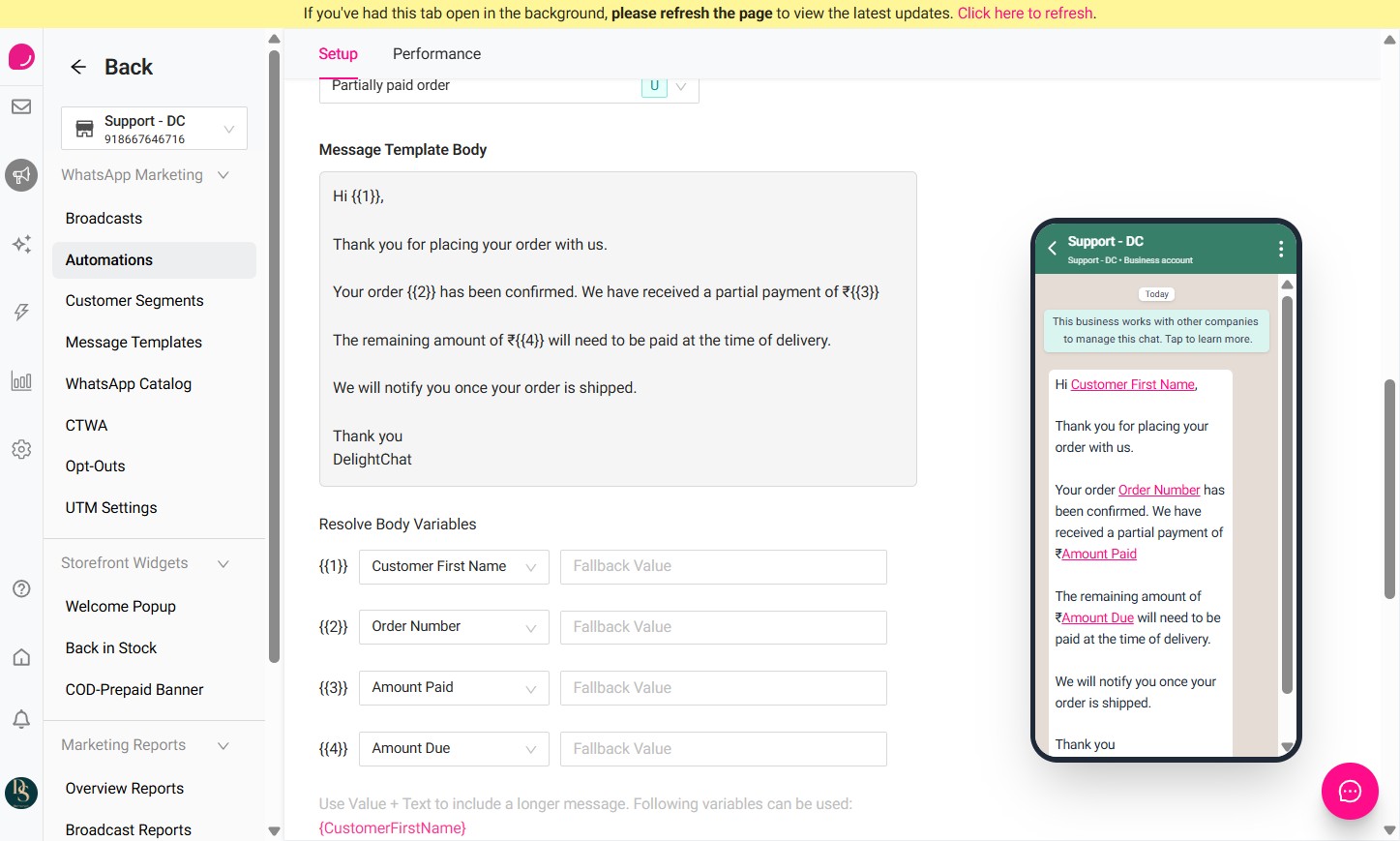
Map the variables based on the template requirement. In this example, map the variables 1 as: Customer First Name and 2 as Order Number. Map variable 3 to "Amount Paid" and variable 4 to "Amount Due".
Enable the automation and click Save.