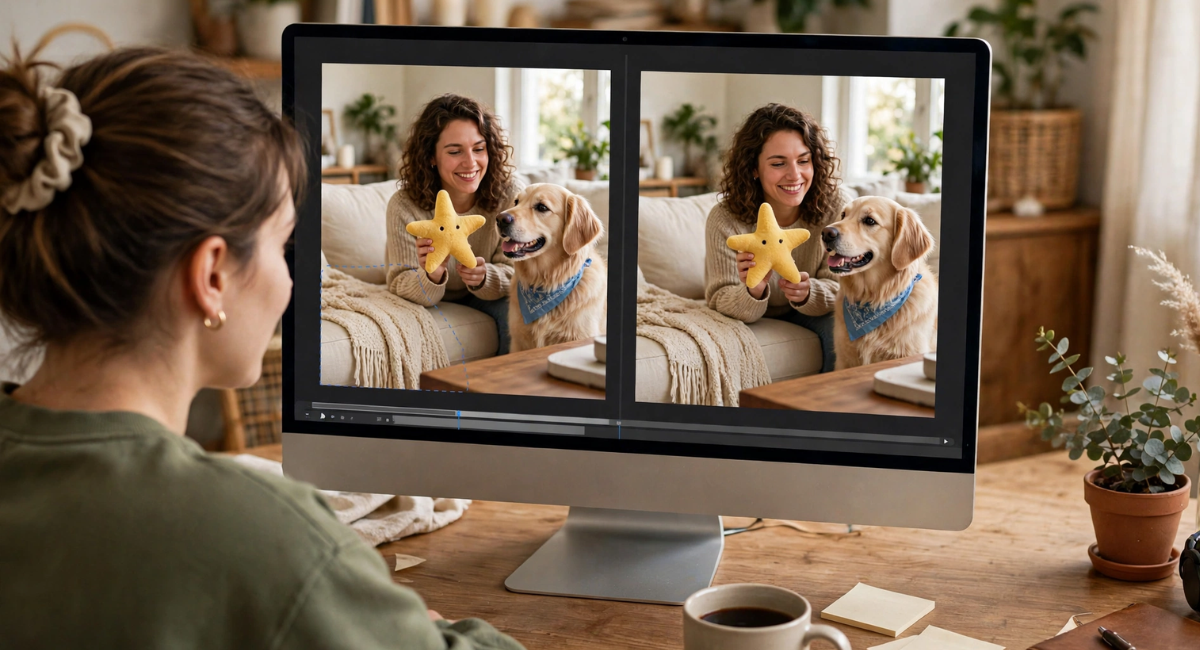
"Hey! My dog has destroyed every toy we own except this one. Thought you'd like to see lol." This message is sent to you by a customer with a 14-second video attached. In the video, the dog is playing with your product.
The first instinct is to use the video as a testimonial. The dog is very funny, and the video can serve as the perfect marketing material. That is why there is a temptation to post it straight away. But the video is a bit shaky. Also, the watermark of a social media app is bouncing around in the corner, and there is a sticker from some other app as well.
So, it might be better to wait before posting this.
Before videos from customers go live on brand channels, they need some preparation. This article explains how it can be done without losing the original feel of the video. All steps are covered, including watermark removal with Vmake Labs, the quality checks, the captions, and in the end, the final approval.
Gate One: Did They Actually Say Yes?
When someone tags you, this is not counted as a permission. A DM is not counted either, at least not for paid ads. You have to ask the customer directly, and their reply should be considered before any use of their content. Something like this can be sent as a starting point:
"Hi! Thanks so much for sending this, our team loved it :) Would it be ok if we post your video on our Instagram and TikTok, and also use it in paid ads? We would cut it a little, put captions on it and remove the app watermark. We can tag you as @yourhandle, or keep you anonymous if you prefer. Just reply YES if you are fine with it."
The edits have to be named in the message. "Can we repost this" does not cover taking anything out of the frame. For bigger campaigns, it is better to get a proper release signed.
Gate Two: Is The File Worth Working On?
Ask your customer to share the original file from their phone. A version which was saved from Instagram has been compressed at least once already. After that, the video has to be watched through, and these questions answered:
- Is the product actually seen?
- Is the experience of the customer clear without any explanation from you?
- Is the product used the way it is supposed to be used?
Even a blurry clip can be used, as long as the feeling in it is real. But if the item is used in an unsafe way in the video, it cannot be posted. It does not matter how funny it is.
Gate Three: What Exactly Comes Off?
Check the lists below before removing anything.
Can be removed (if the customer agreed)
- Watermark of the app they edited with
- Promo stickers from before
- Notification banner which popped up while filming
- Text left from some old trend
- Timestamp from an old camera app
Do not touch
- Creator credit that you promised to keep
- #ad or #gifted labels
- Face and voice of the customer
- Labels on the product and ingredients
- Anything that would change their words
The Cleanup
For this test, we used a customer video with their consent. This video was 14 seconds long and taken in a vertical 9:16 ratio. We agreed with the customer to remove two elements from this video: the app watermark in the corner and the old promo sticker at the bottom.
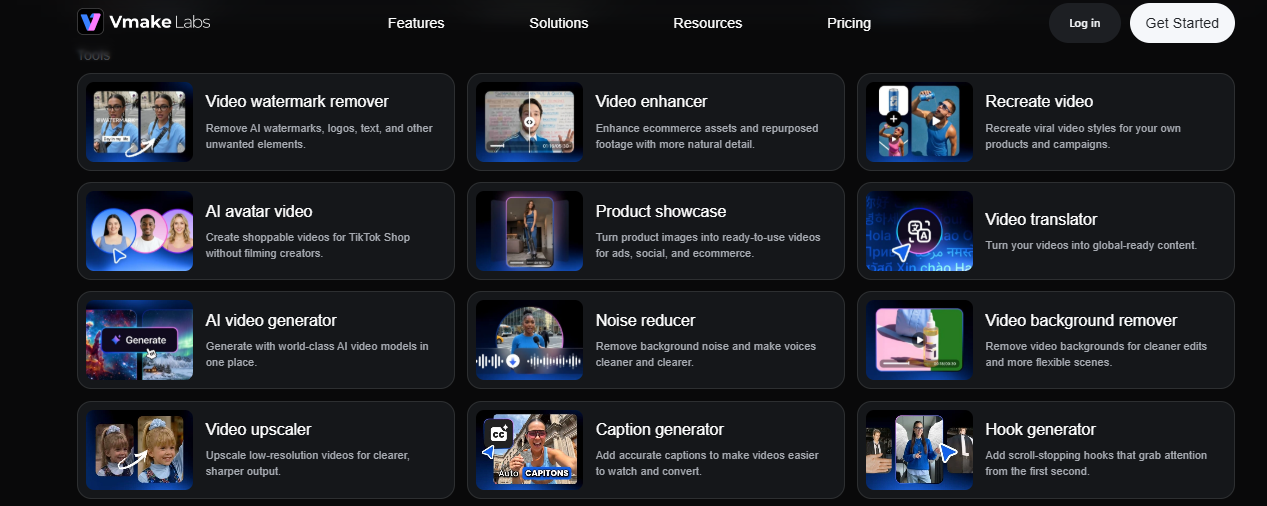
After the permission was confirmed, we used Vmake Labs to remove watermark from video for this submission. Vmake Labs is an AI social video studio made for small brands and creators who need to prepare social videos quickly.
It has a full suite of tools for video creation, editing, enhancement, and watermark removal. For this clip, we used the Watermark Remover to clean up the footage before preparing it for publication.
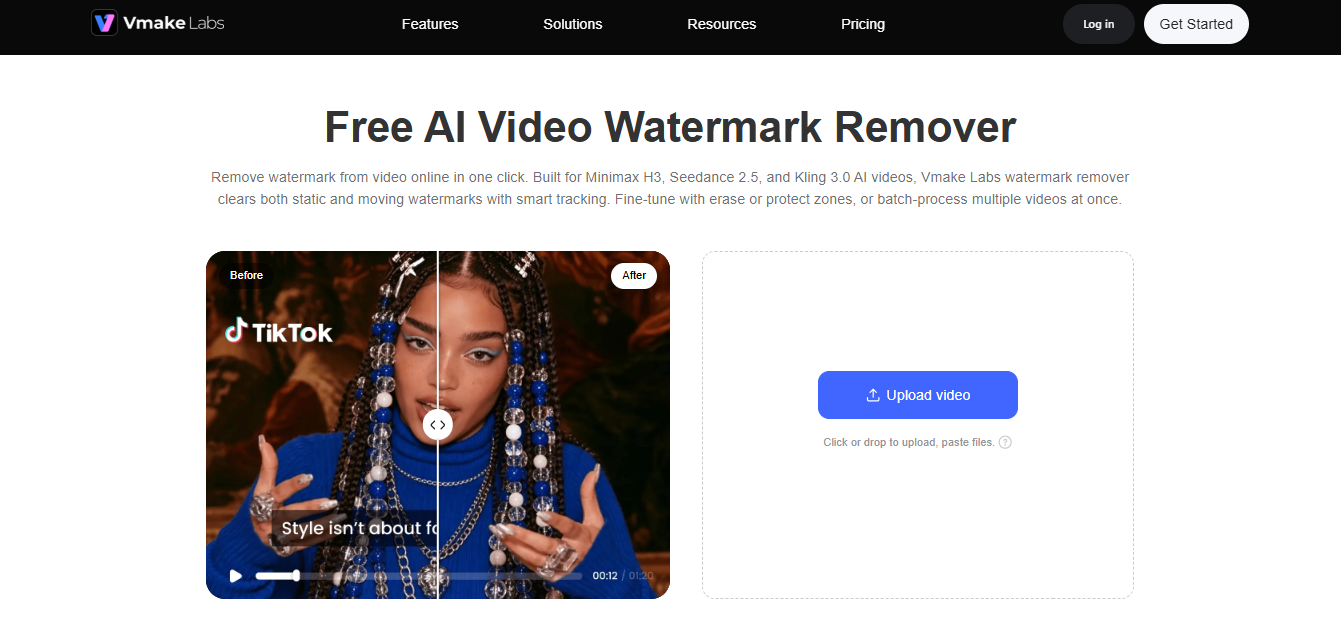
The process is straightforward. Upload your video to the tool and choose the watermark removal option. You'll then see two removal methods: Auto and Manual. The right choice depends on how much control you want over the area being removed.
When to Use Auto Removal
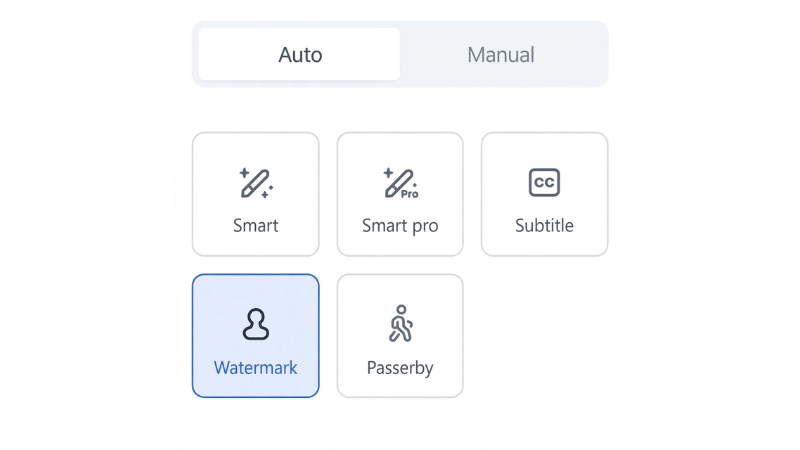
Auto mode is a good choice when the object to remove is easy to spot and you don't need to select its edges manually. For instance, the client sent a demo of his product, but there is an annoying overlay on top of it that diverts attention from the action.
This option works well when you want to make a quick adjustment without spending time selecting an area frame by frame.
Select the mode according to the item you're removing:
- Watermark: For logos, badges, and app marks
- Subtitle: For the caption lines burned into the video
- Smart: A general option for a frame with a bit of everything
- Smart Pro: For more complex removal tasks where the unwanted element may be harder to separate from the background.
- Passerby: For removing people who walk through the frame or appear in the background.
When Manual Selection Makes More Sense
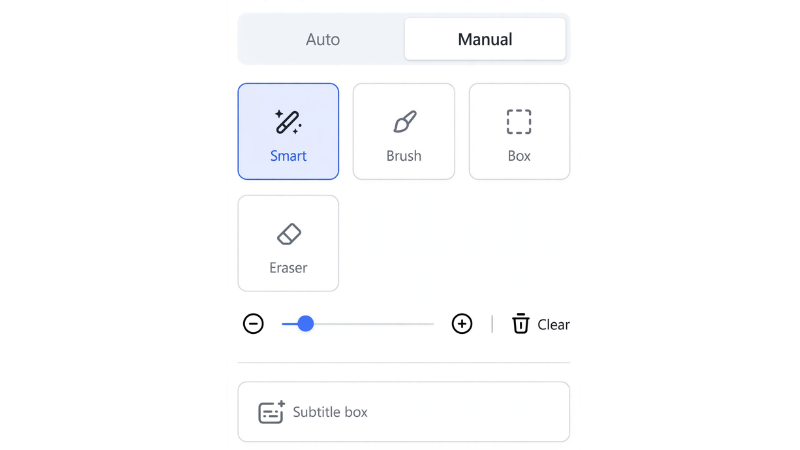
When you select the Manual option, you decide which part of the video needs to be removed. Use the Box tool to draw a frame around the unwanted element without including nearby details. The same panel also has Brush and Eraser tools. Brush lets you mark the area by hand, while Eraser helps you correct the selection if you include more than you intended.
Go for Manual in these cases:
- Overlay is too close to the product or label
- Hands or a face pass by the element
- Several pieces of text in the frame, but only one has to be removed
- Auto has missed it or taken too much already
Yes, it takes a minute longer. But on customer footage this minute is usually worth spending, as the parts that make the video real are protected.
Once you pick an option, hit Apply and you will have results within a few seconds. Check the results, and when you are happy with them, you can download the video.
Packaging It For Your Channels
After cleaning everything up, there are still a few minor things to do before posting. These things may not be a big deal, but they will help your ad look more professional and suited to your profile rather than your camera roll.
- Captions: If the client talks in his video, use Caption Generator to add captions, but don't try to polish his speech into marketing words.
- Branding: Adding a small logo or an end card will do. If you use heavy templates, the customer video starts to resemble an advertisement.
- Framing: The majority of submissions are already in vertical format. If the ratio is different, just reframe the clip in your editor, but keep the product in frame.
- Clarity: Is the clip too soft to understand? Use a Video Enhancer to take care of it. However, some roughness won't hurt either, because people will notice that nothing was faked in this video.
These jobs are not part of the removal. Therefore, they are done afterward and only if needed. Finally, before the video goes live, send the finished video to the person who made it. If they recognize their own moment in it, you did this right.
Give Customer-Supplied Video a Place in Your Content Plan
Your brand's social content can gain a useful new angle from customer-supplied videos. Such clips show how the product is used by real people. As a result, potential buyers understand better what to expect from it.
To bring these clips in line with your content standards, a simple editing workflow is enough. First comes the permission. Then, only those elements that you are allowed to edit are removed. Other changes are made only if the footage really needs them.
For this process, Vmake Labs offers Video Remover and other video editing tools. You can use them to polish your video. However, you don't need to apply every editing feature to every submission. Start with the changes covered by the customer's permission, then leave the rest of the footage as it is.
Your customers bring the trust. You just make it look polished.