
On Monday morning, a customer’s tracking page says “Label created.” It said the same thing Friday. The shipping email made it sound like the package was already on its way, and the customer needs it by Thursday. You open the Shopify order and find a tracking number. So who has the package?
That’s the question to answer first. An order still at the warehouse, a parcel waiting for its first scan, and a package stalled in transit can all look like a shipping delay from the customer’s side. On your side, each one calls for a different next step.
Check the original delivery window
Open the order in Shopify and find the delivery estimate the customer received. Use the estimate from their order confirmation or checkout, if you have it, especially if you’ve since updated your shipping policy. Then look at the affected items, fulfillment status, and tracking history. If the order is split across two shipments, make sure you’re looking at the parcel containing the item the customer is waiting for.
Open the carrier’s tracking page, too. A tracking number tells you which shipment to look up. The event history tells you what the carrier has recorded so far. Shopify explains where tracking appears for shoppers and how to troubleshoot carrier information in its order tracking guide.
Work out where the shipment stopped
The order is still being prepared
Start with the fulfillment partner. Ask whether the exact SKU is available and whether the order is waiting on inventory, an address correction, or another step before packing. Ask when they can confirm a ship date. If one item is holding up a multi-item order, find out whether the rest can ship separately and when the remaining item would follow.
Give the customer a straightforward update if processing is running long. “Your order is still being prepared. We’re checking when it can ship, and I’ll email you again by 3 p.m. Eastern tomorrow.” If you offered express shipping, check the original promise before suggesting a new date. The customer may have paid extra because the timing mattered.
If you manage high ticket volumes across email, Instagram, and WhatsApp during peak seasons, evaluating the best Shopify customer support apps can help you automate tag routing for urgent or express-shipping orders.
There’s a tracking number but no carrier scan
A label can be created before the carrier picks up the parcel. A missed or late scan can also leave tracking stuck after pickup. Ask your fulfillment partner whether they can confirm the handoff and when it happened. If the package is part of a batch pickup, ask whether the rest of that batch is showing movement. That can help you decide whether to investigate one parcel or follow up on the whole pickup.
If the warehouse confirms the parcel is still there, tell the customer when you expect to hear back about pickup. If the warehouse confirms the handoff, you can say that the carrier’s tracking page hasn’t updated yet. In either case, give the customer a time for your next update, especially if the delivery window is about to close.
Tracking shows movement, then goes quiet
Write down the last scan, including its date and location, and check whether the delivery estimate has changed. A quiet stretch between scans may be routine for that route. If the delivery window has passed or a carrier exception appears, check who can open a trace. Depending on who bought the label, the fulfillment partner may need to contact the carrier.
Send the partner the order number, tracking number, last scan, and promised delivery window in one message. Ask when they’ll have an update and what they need to review a replacement if the parcel can’t be located. That gives your team something to act on if the customer follows up while the trace is open.
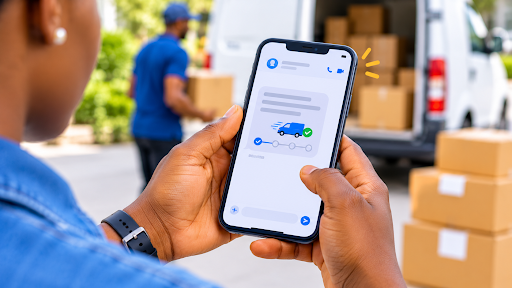
Send an update customers can actually use
The most helpful message usually fits in a few lines. Say which shipment is affected, what you’ve confirmed, and when you’ll be back in touch. If a customer tells you they need the order for a trip or a birthday, ask when they need it. That date can help your team decide whether to keep investigating or look at the options available under your store’s policy.
Here’s a message you could send when a shipment is likely to miss its window.
“Hi Maya, the carrier last scanned your order in Ohio on Monday, and it now looks like it may miss the Thursday delivery estimate. I’ve asked our fulfillment team to check with the carrier. I’ll email you by noon Eastern tomorrow with what we find and what we can do next.”
Put that follow-up time on the ticket and assign it to someone. If there’s still no carrier update at noon, send the follow-up anyway. The customer should hear from you when you said they would.
Fix the issue that keeps coming back
If delays keep showing up at the same point, review a handful of recent orders from that shipping route. Compare when the warehouse received each order, the label date, the first carrier scan, and the delivery date. If orders spend most of the extra time waiting for pickup, start there. If the first scan is timely but tracking often reaches Shopify late, check how your fulfillment partner sends tracking information back to the store.
USAdrop connects with Shopify and uploads tracking to the order after shipment. If you’re comparing fulfillment options after a run of delays, start with the product your customers ask about most. Create a USAdrop account and request a quote for that exact variant and destination. Then run a sample shipment and check when tracking appears in Shopify and what a shopper sees on the other end of the link. You’ll have a real order to review with your support team before sending more volume through that route.