


I was reviewing an e-commerce store for a client. But something didn't add up.
One product offered better value than a competing listing. Yet it wasn't attracting the same level of interest. In e-commerce language, “the product is not getting enough clicks”.
I opened both listings side by side. The prices were similar. The descriptions were well written. Even the customer reviews looked equally convincing.
On paper, my client's product should have been the obvious choice.
The difference wasn't the product. It was the photos.
One set of images looked sharp. The colors felt natural. I could clearly see the texture and small details.
The other photos looked flat. They weren't terrible. But they didn't make me want to click. That's when I realized something. The photos do all the selling.
That made me curious. How much editing goes into product photos? More importantly, could AI achieve a similar result without spending hours in Photoshop?
I started looking for a practical solution. That's when I came across Wink and its 4K Photo Enhancer. It claimed to improve image quality in seconds.
There's just one way to find out if it works. Hence, I picked an ordinary product photo and put it to the test.
Why Better Product Photos Build More Trust
Unlike a physical store, customers can't pick up a product and inspect the finish. They can’t read the fine print. Your product photos have to do that job instead.
In fact, research shows that 75% of online shoppers rely on product photos when making a purchase decision.
From my experience, better product photos build trust in three ways:
- They answer questions before customers ask them. Sharp images make it easier to observe small details. The less shoppers have to guess, the more confident they feel.
- They reduce uncertainty. Accurate colours and realistic details help customers believe the product will match what arrives at their door.
- They create a first impression. Before anyone reads the title or checks reviews, they've already formed an opinion based on what they see. Clear images instantly make a product feel more credible.
That's why I don't see image enhancement as simply making photos look better. I see it as making products easier to evaluate. This is exactly what online shoppers are trying to do.
What I Wanted to Improve (Not Completely Change)
The photo I picked wasn't bad. It was a product shot of a coffee mug. At first glance, it looked fine. But after zooming in, a few issues became obvious.
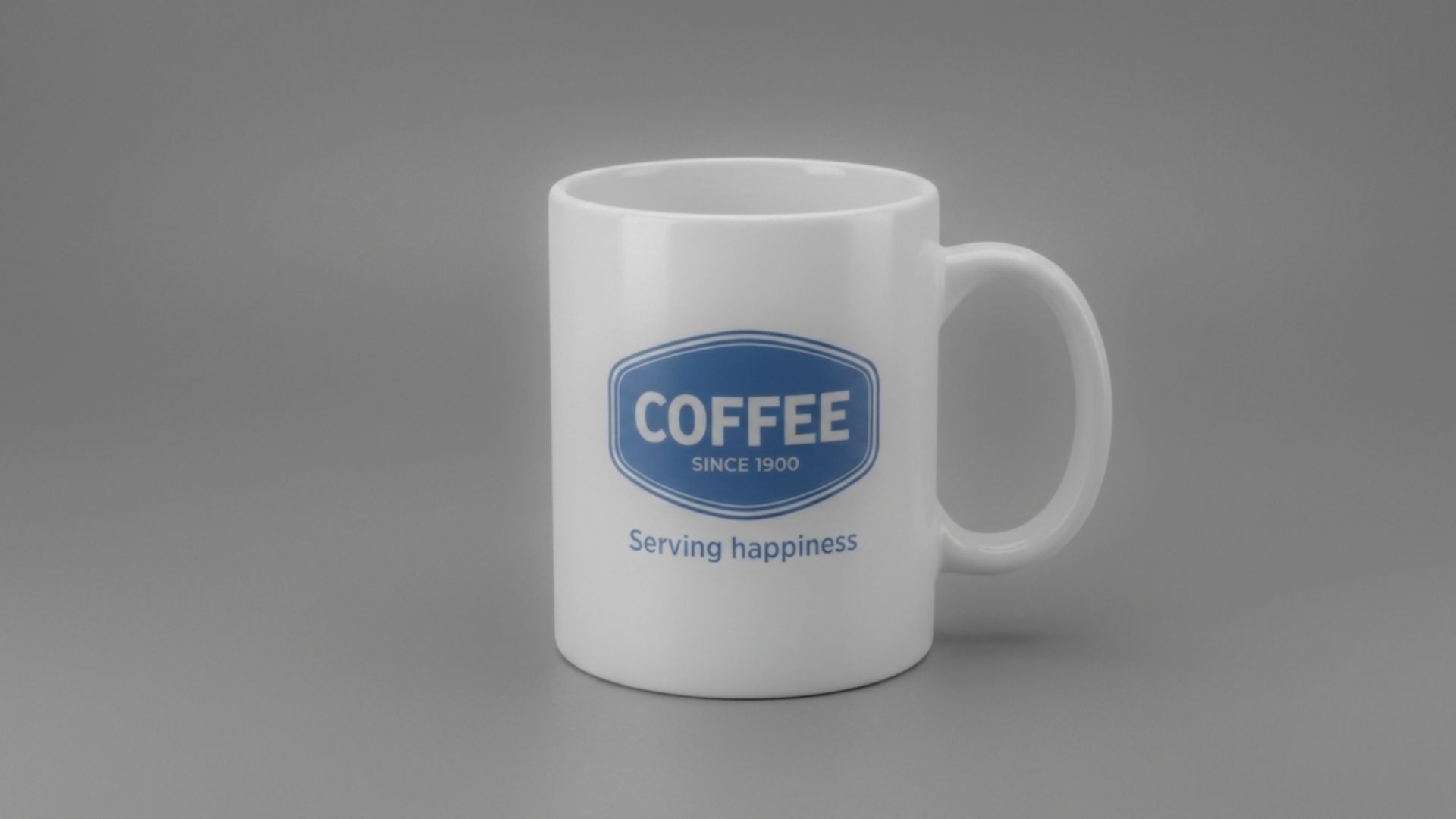
The printed text wasn't as sharp as it should have been.
Some of the finer details looked soft. The colours felt slightly dull. The image also lacked the crispness you'd expect from a professional ecommerce listing.
I wasn't trying to completely transform the photo. An AI background remover can help create cleaner product photos. The goal was to make it look better.
Here's what I wanted to improve:
- Sharper details, especially around the printed text.
- Better colour accuracy without oversaturating the image.
- Improved sharpness while keeping a natural look.
- Higher resolution for cleaner product listings and zoomed-in views.
- A realistic result that still looked like the original product.
If AI could deliver those improvements without making the image look overprocessed, I'd consider the test a success.
How to Enhance Product Photos with Wink's 4K Photo Enhancer
I started by opening Wink's 4K Photo Enhancer.
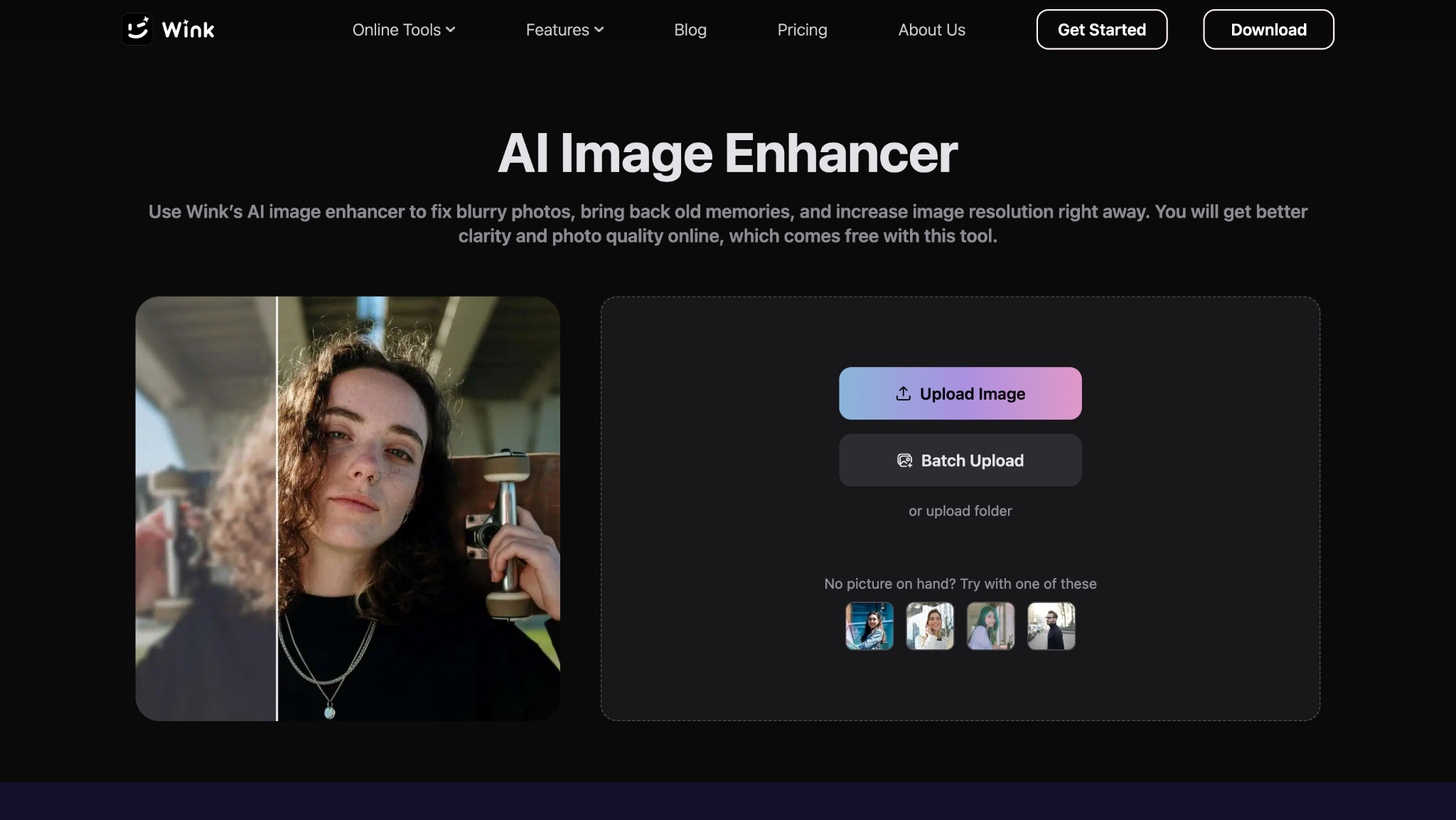
From there, I uploaded the coffee mug photo I wanted to improve.
Since this was a product image, I selected the Product Image enhancement option.
After that, I clicked the “Start Processing” button.
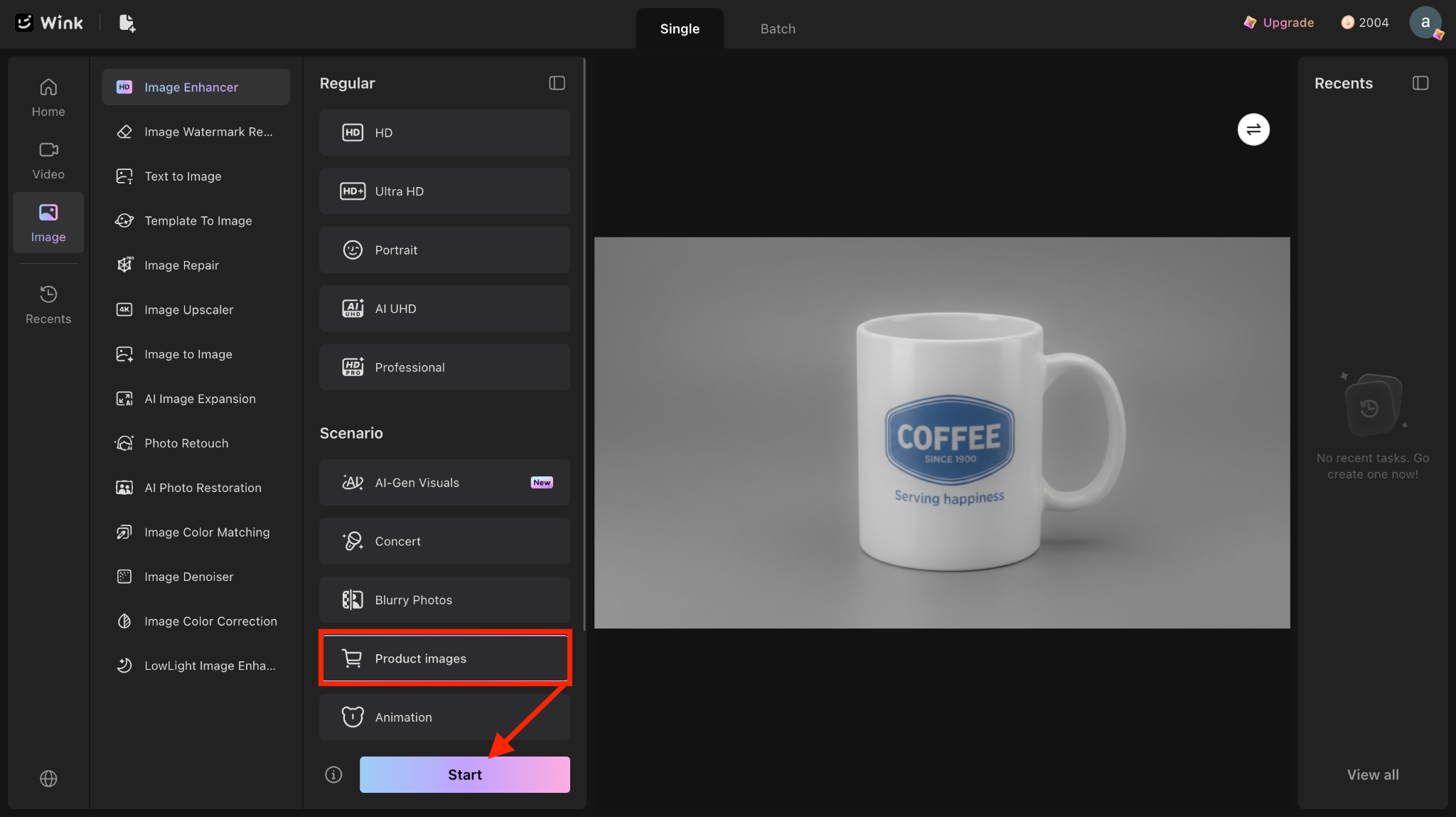
The rest of the process was automatic. Wink analysed the photo and applied its enhancement model to improve clarity and overall image quality.
I didn't have to adjust multiple sliders. The best part? I did not manually edit different parts of the image.
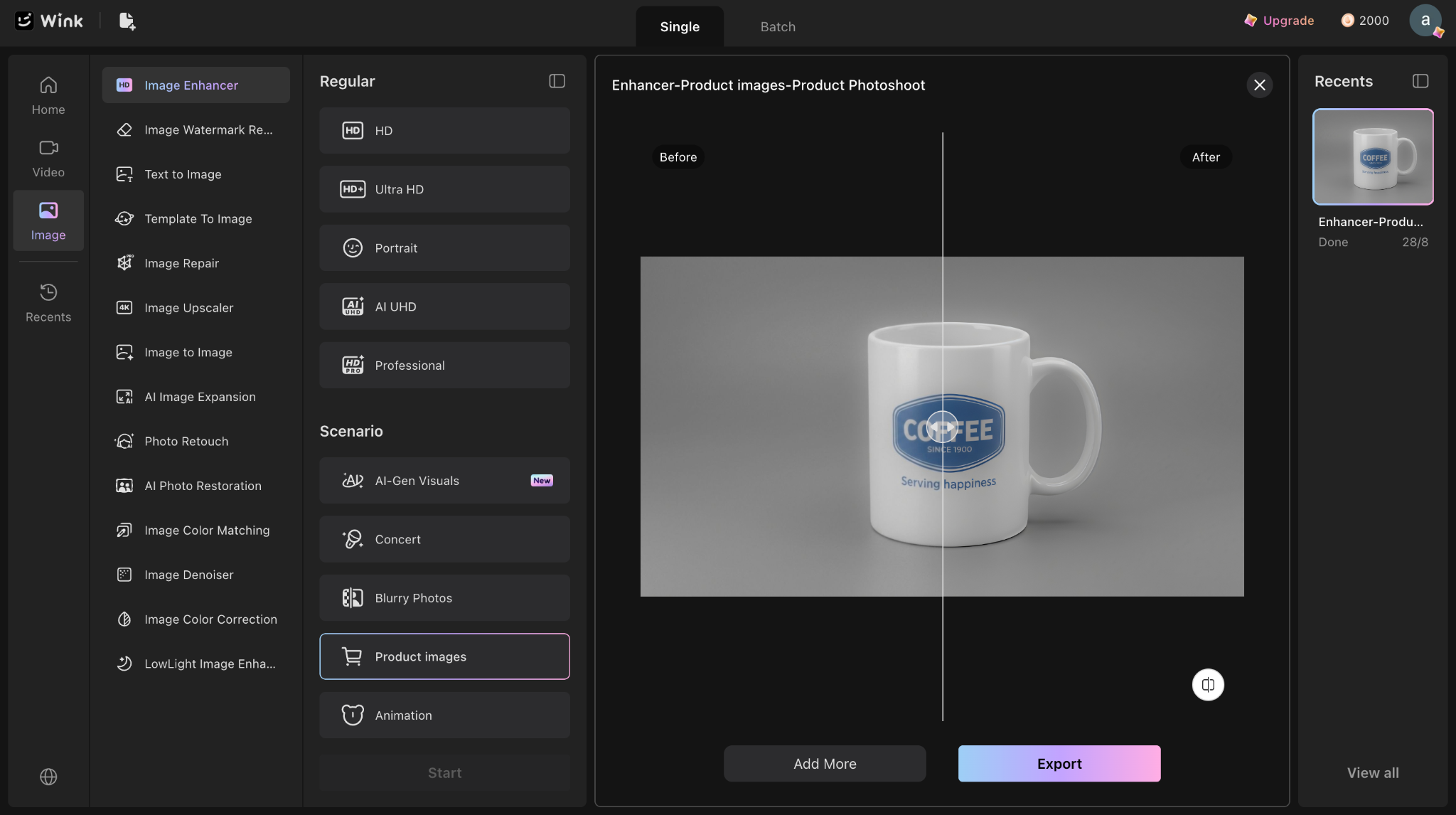
The enhancement only took a short time to complete. When it finished, I had both the original and the enhanced version ready. An image enhancer can help ecommerce sellers improve product clarity, sharpen fine details, and make listing photos look more professional without changing the product's original appearance.
Now came the important part.
I wanted to see whether the AI had actually improved the image or had simply made it look overprocessed.
Before vs After Comparison
Once the enhancement was complete, I compared both images side by side. The improvements were noticeable without being overdone.
The first thing I noticed was the colour. The blue on the mug looked more vibrant. At the same time, it still looked natural. Plus, it didn't appear oversaturated.
The text also looked much clearer.
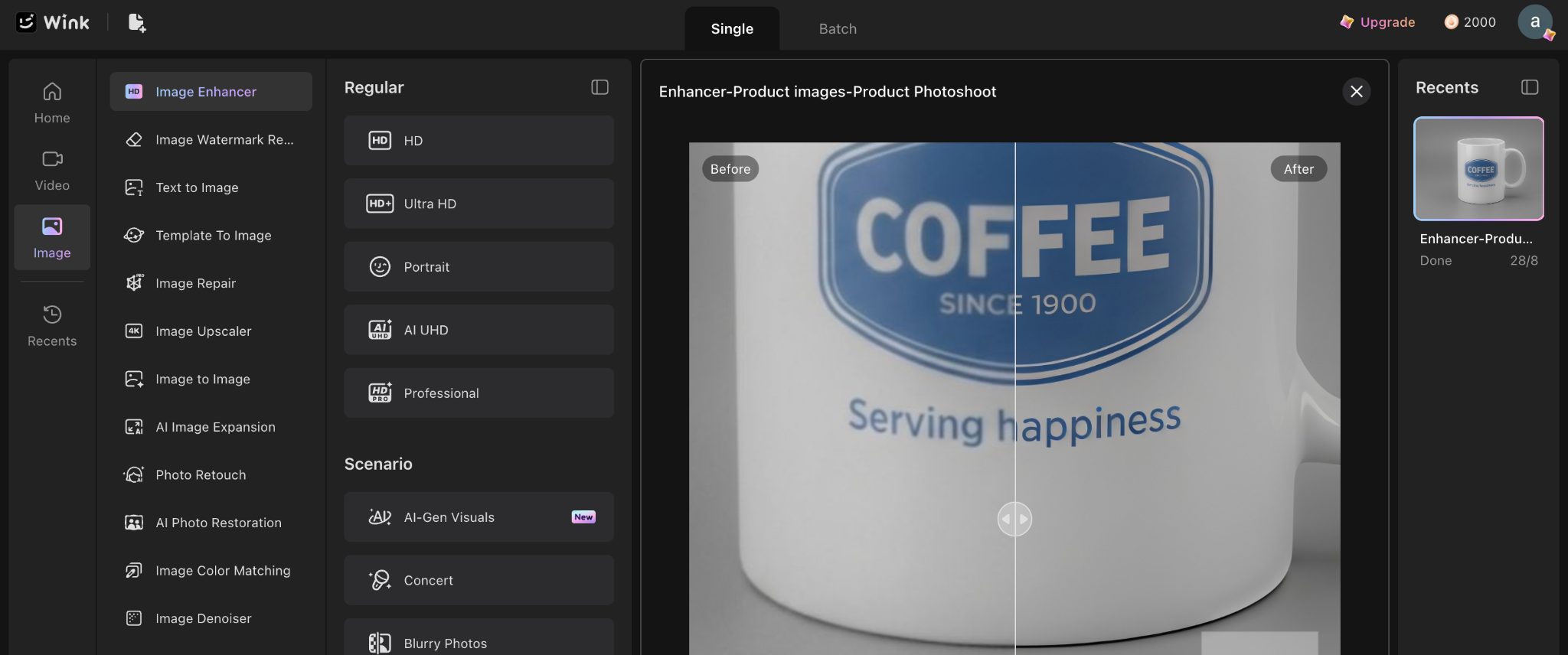
Take the words "Serving Happiness" as an example.
In the original image, the letters looked slightly soft, especially when zoomed in. After the enhancement, they appeared easier to read.
I also noticed a better definition around the edges of the mug. Small details that looked a little blurred before became more distinct in the enhanced version.
Overall, the image looked cleaner and more polished. It had better clarity. Plus, it held up much better when viewed at a larger size.
What I appreciated most was that the AI didn't try to reinvent the photo. It simply improved the quality of the original image. In fact, the image looked realistic.
That's exactly what you'd want for a product photo.
Is AI Enhancement Only for Bad Photos?
At first, I assumed tools like this were mainly for low-quality images.
But after spending a few years working with ecommerce content, I'd say that's not really the case.
Even professionally shot product photos usually go through a bit of refinement. It's completely normal. Here's why.
1. Images Lose Detail After Compression
Product photos are usually compressed before they're uploaded to marketplaces. That process can reduce sharpness. Thus, it makes fine details less noticeable. Similarly, when choosing an ecommerce platform, look for one that supports high-quality product images without compromising page performance.
2. Every Screen Shows Colours Differently
A photo that looks perfect on an editor's monitor may appear duller on customers' devices. Small clarity adjustments help keep the product looking consistent.
3. Zoom Has Become Part of Online Shopping
Many shoppers zoom in before buying. Clear text and visible textures help build confidence, especially for premium products.
So, I still suggest a bit of refinement when discussing e-commerce visuals with clients. Those small finishing touches can make a noticeable difference once the image is live on a store.
Parting Comments
Let's say your product gets one thousand views every month. What if a better product photo gets 1% more people to click?
That's 10 additional potential customers from a single listing.
Now multiply that across 50 products.
Small visual improvements can compound over time, especially for stores with large catalogues.
That's why many ecommerce brands spend so much time refining product images. They're not chasing perfection. Instead, they're trying to remove small points of hesitation.
In the current era, picture enhancement need not necessarily take hours on Photoshop. AI tools like Wink make it much easier to refine existing product photos.
So, if a product deserves attention, its photos should reflect that. A few minutes spent refining an image today can influence buying decisions for months.
My takeaway is simple. Don't settle for a raw image. Keep improving the image until it gives shoppers a reason to look closer. Sellers reviewing their Vendoo setup can then compare other tools for managing online selling, considering how each handles product publishing, inventory, and day-to-day tasks.





