


Back in stock is similar to the welcome pop-up widget. Once you enable the Back in stock widget, the pop-up will appear for all out-of-stock products on your website, allowing customers to enter their contact details to subscribe for restock notifications.
When the product is restocked, an automated notification message will be sent to the subscribed customers.
Illustrative image
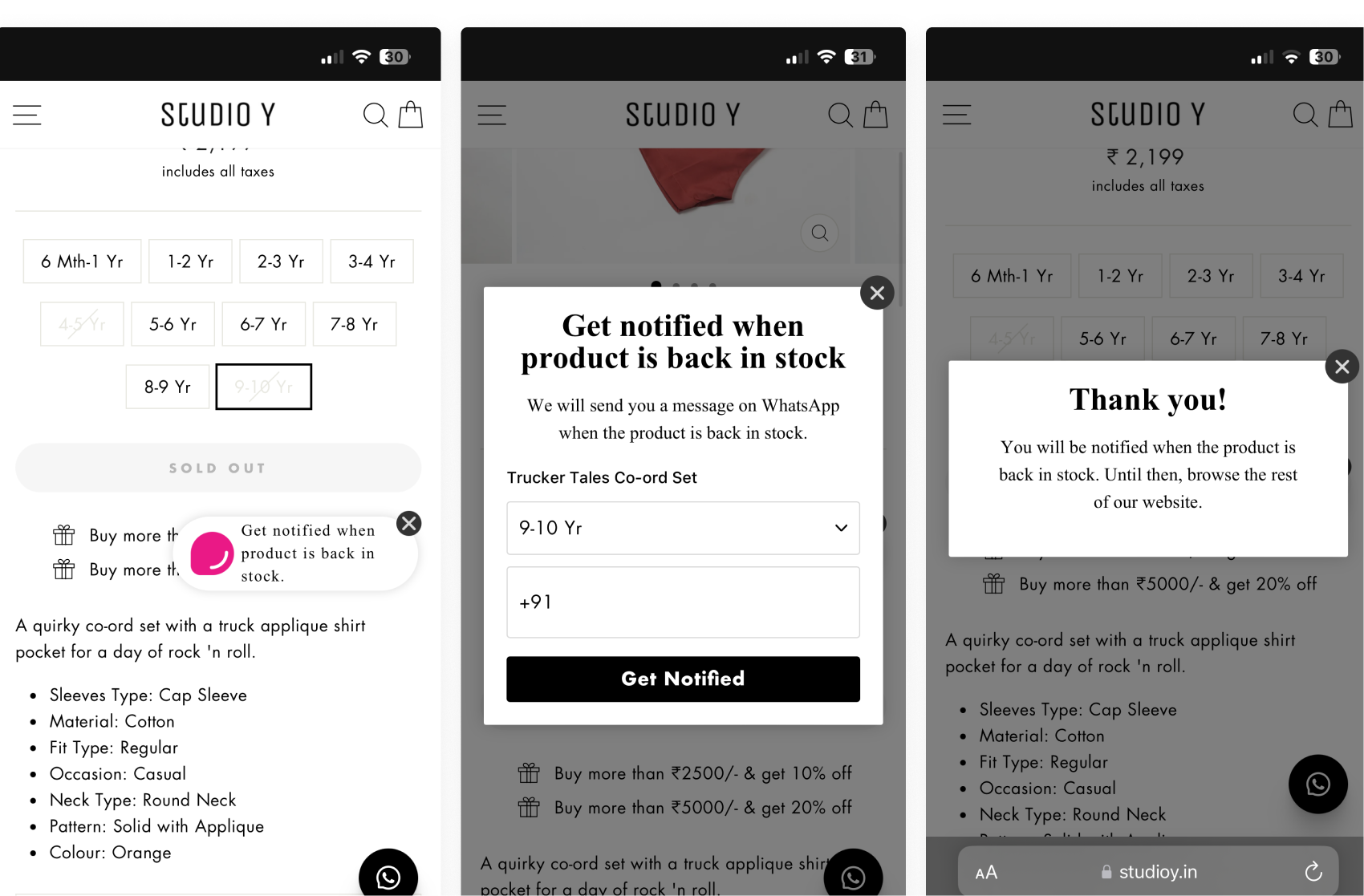
Customers can provide their number, and in our analytics data, we can see which customer has subscribed to which product. After you restock the product, the BIS (Back in stock) automation will automatically send a message to the customer.
Back in Stock is a paid add-on feature available in DelightChat.
.png)
To implement a Back-in-Stock (BIS) flow, you can enable the Back-in-Stock widget within your existing DelightChat account.
<iframe src="https://scribehow.com/embed/Configure_Back_in_Stock_Popup_Settings__-plKabGYSNeMF38xbOIj4g?as=video" width="100%" height="800" allow="fullscreen" style="aspect-ratio: 16 / 12; border: 0; min-height: 480px"></iframe>
Since the DelightChat app is already embedded in your Shopify store, you only need to enable the feature from your Shopify theme settings.
Steps to Enable Back in Stock Manually in Shopify
- In Shopify Admin, go to Sales Channels → Click on Online Store → Select Themes.
- Click Customize on your currently active theme. This will open the theme editor.
- In the left-side panel, click on App Embeds.
- Toggle ON the option labeled “Back in Stock” (with the DelightChat logo).
- Click Save.
https://www.loom.com/share/e8052d6d9e384c7b839329d9230d18b8
Once enabled, the Back in Stock widget will start appearing on out-of-stock product pages.


