


Building a website as a UX beginner is no easy feat. Whether you’re creating your first e-commerce storefront, a company landing page or a personal portfolio, navigating HTML, visitor flow, and site content can be overwhelming.
However, in a digital marketplace, web design influences 94% of all first impressions so you can’t afford to make mistakes.
This is where website builder templates come to the rescue. By providing ready-made website layouts and templates, website design templates help UX beginners create a powerful online presence on their first try.
The Importance of Carrying Out User Research Before Picking a Website Builder
Before diving straight into website builder templates, it’s important to step back and consider who you are actually designing your new web pages for.
User research should be at the start of any website project, as it helps define what your audience looks like and what exactly they are looking for when arriving at your website.
Ask yourself what pain points your users are trying to solve when they land on your page. By using this information to define how you lay out your site and what solution you offer, you can improve the user experience and create a logical sales funnel that drives them to convert.
Having a good understanding of your audience also allows you to prioritise specific content types. Whether this is eye-catching product imagery, testimonials from past clients, or content blocks with different packages, your user research will uncover the information that users are most drawn to.
As visually appealing as website design templates may be, a lack of research can have a detrimental impact on the return of your efforts.
By pairing the learnings of your user research with the functionality of website builder templates, you are on your way to creating an attractive website that meets your audience’s needs.
The Best Website Builder Templates For UX Beginners
Choosing the best website design templates for your beginner site can be difficult, especially if you don’t know what you’re looking for.
The best website builder templates for UX novices are simple to navigate and easy to personalise for a fast setup and launch.
If you’re unsure where to start, we’ve reviewed some of the best beginner website builder templates on the market so you don’t have to.
1. Hostinger: Mina
Starting off strong, we have Hostinger’s Mina. When it comes to website templates, Hostinger doesn’t disappoint, offering a range of beginner-friendly website homepage designs that still pack a punch.
Mina is a perfect starting space for small businesses, new e-commerce sellers, and anyone dipping their toe into the UX design world.
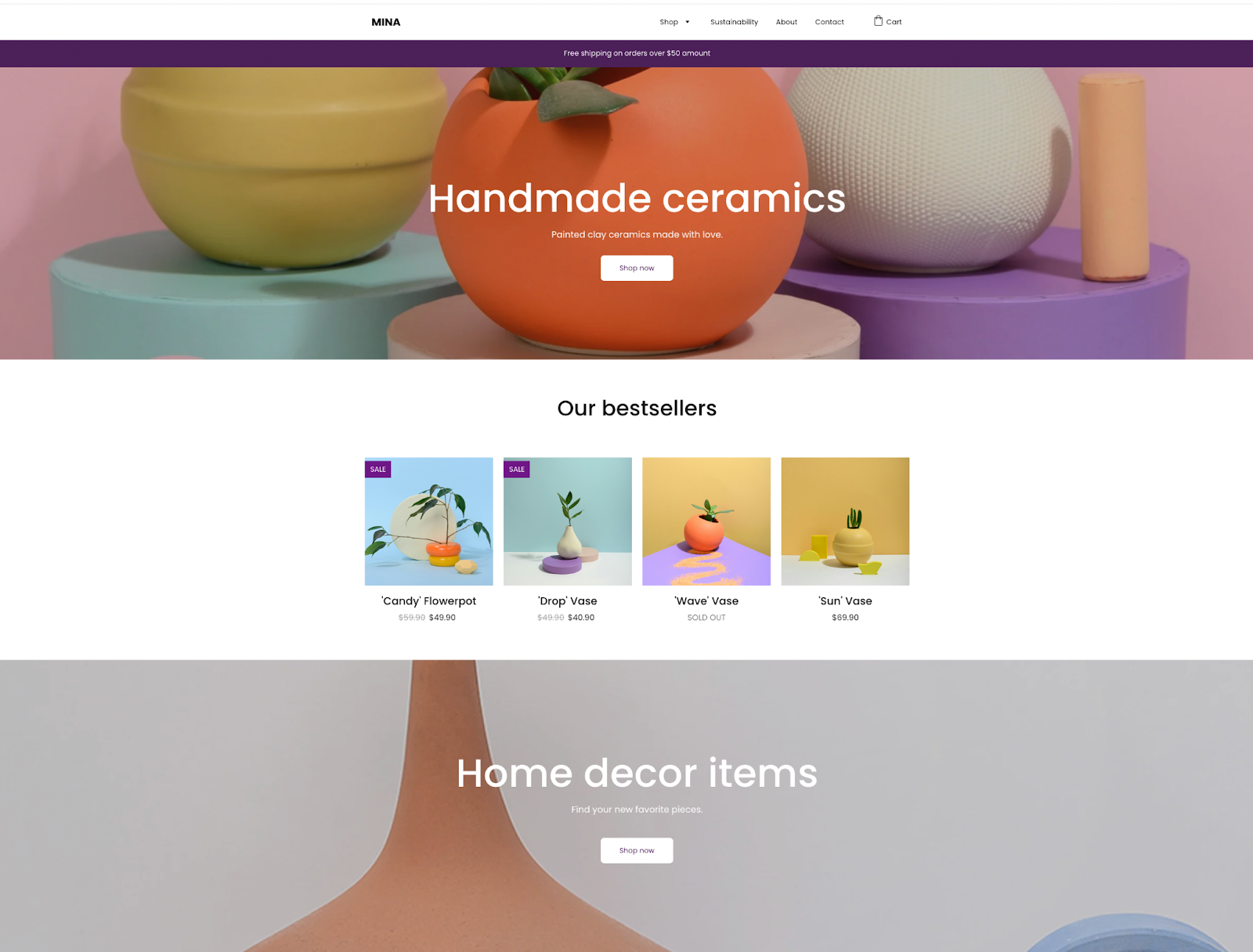
Why Mina Is Great for UX Beginners:
- Straightforward Design: If you’re looking for a clean, intuitive website homepage design, look no further than Mina. All of Hostinger’s website builder templates are created with simple navigation in mind, but Mina takes accessible UX one step further. This layout prioritises clear headings, consistent spacing, and simple menus, all features that keep users engaged.
- Content Block Customisation: As a beginner, an over-complicated website builder template can be overwhelming. Mina lets users personalise their website design using simple content blocks that can be added anywhere on the homepage. With options to add text, images and branding, each content block can be customised to create the website layout you imagined.
- A Mobile-First Approach: 67% of users are more likely to buy from a company with a mobile-friendly site in 2026. Hostinger’s Mina template takes a mobile-first approach and is designed to function on screens of all sizes. Better still, as you build your website using Mina, you can preview your website homepage design on mobile, tablet and desktop in real time to ensure that your layout is usable across devices.
- Fast Setup: Mina comes with ready-made, structured sections, easy-to-customise content blocks, and pre-built components, allowing you to get your full site up and running in no time.
Our Score: 10
We rate Hostinger’s Mina 10/10 for UX beginners. With a guided design scaffold, this is one of the most user-friendly website builder templates on the market.
2. TemplateFlip: Super Agency
If you’re looking for a website builder template designed to showcase your work, services, team and portfolio projects, TemplateFlip’s Super Agency template is perfect for startup businesses and small marketing agencies.
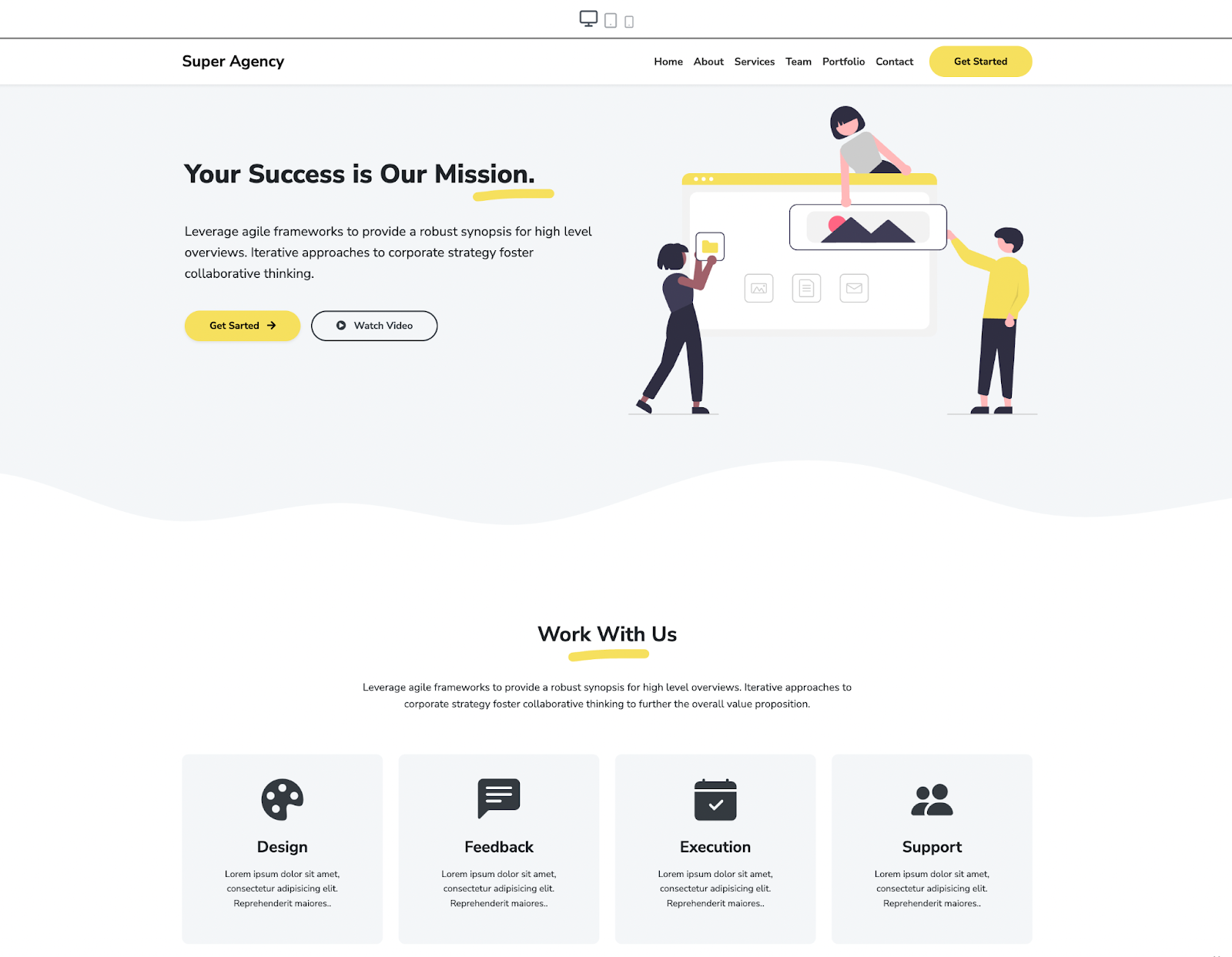
Why Super Agency is Great For UX Beginners:
- Professional Design: TemplateFlip’s Super Agency template is built with professionals in mind. With powerful typography, a layout optimised for every screen size and a simplistic use of bold colour, this website homepage design is perfect for startup agencies, small businesses and freelancers looking to enhance their professional reputation online.
- Added Animations: For UX beginners, building and adding animations to a website can be tricky. Super Agency’s website design templates come with built-in animations that are played effortlessly on user scroll to help you create a website layout that leaves an impression.
- Built With Bootstrap: The best website builder templates are built with a Bootstrap framework. Super Agency is ready to go live and is designed to be responsive on all devices. All you have to worry about is customising text, images and animations to suit your style.
- A Professional Portfolio Section: Super Agency also includes a built-in professional portfolio section that can be customised with an image gallery. This is perfect for freelancers and small startups aiming to showcase their work. The portfolio section is already coded for scrollable navigation via keyboard and swipe gestures on mobile devices.
Our Score: 9.8
TemplateFlip’s Super Agency website builder template is a winner for professional businesses. With a responsive design, powered by Bootstrap, it’s a great choice for UX beginners. While the template includes some light code, the customisation suite is easy to understand and navigate to create the perfect website homepage design.
3. Mobirise: CaptureM5
For portfolios specifically, we can’t forget to mention Mobirise’s CaptureM5 website builder template.
When it comes to creating website design templates, Mobirise knows how to create a visually appealing website homepage design. With a focus on imagery and mobile design by default, it’s no surprise that their CaptureM5 website layout is one of the most popular on the market for creatives and freelancers.
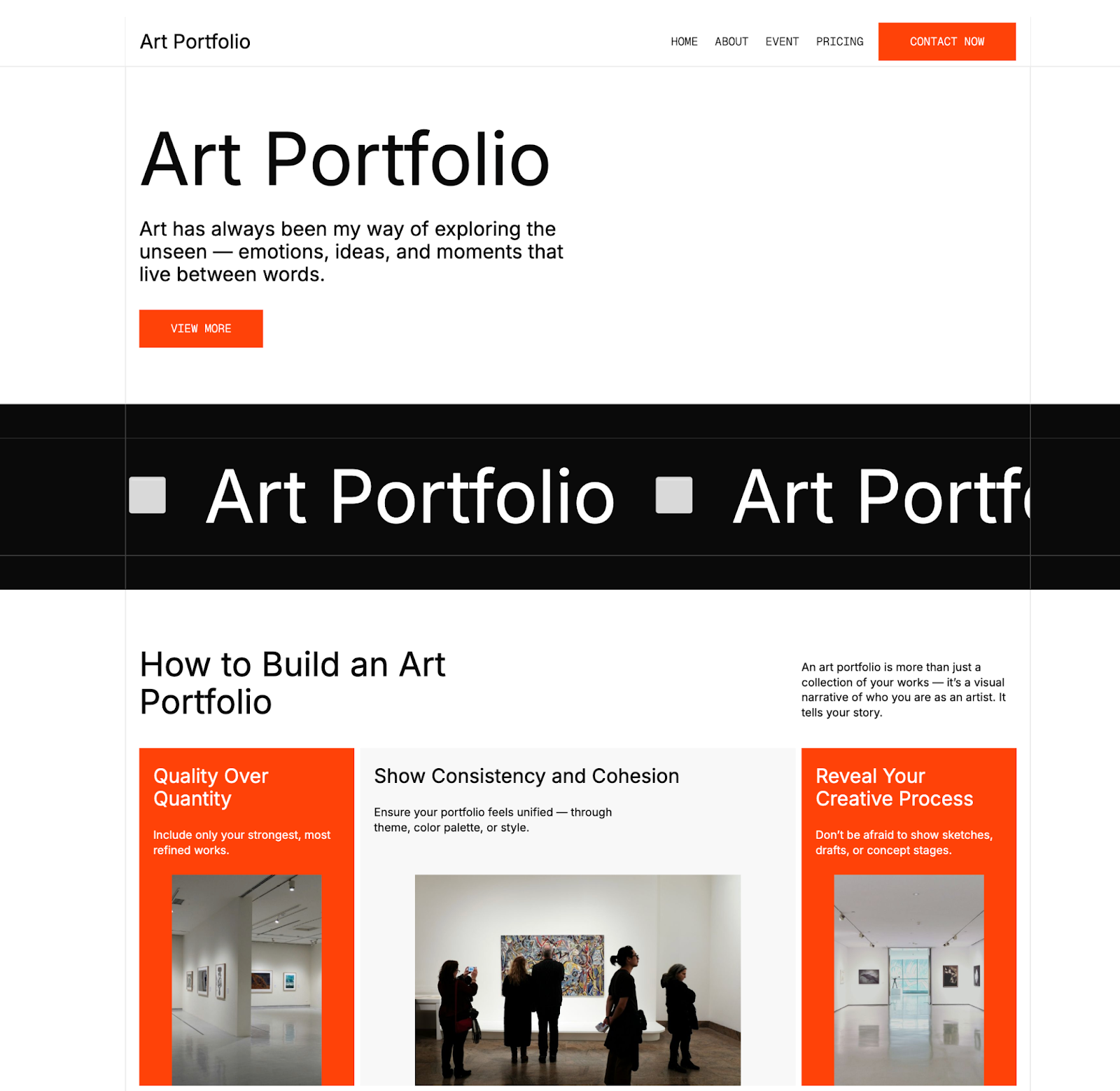
Why CaptureM5 is Great For UX Beginners:
- No Coding Required: CaptureM5 lets you swap colours and content in clicks, not in code, making it one of the best beginner suites for website homepage design. With lots of different modular layout blocks to play around with, you can piece your website layouts together like puzzles.
- Minimalist Design: With a strong visual hierarchy, CaptureM5 is perfect for startup portfolios. This website builder template features purposeful spacing and a clean layout, making it easy to focus on portfolio content. In fact, M5 even includes built-in portfolio sections and feature showcase blocks for visual storytelling.
- Built-In Conversion Elements: Mobirise’s website builder templates also include strong calls to action that beginner UX designers might miss. From inline contact forms to section-specific buttons, the CaptureM5 template is built for real engagement.
Our Score: 9.5
Mobirise’s CaptureM5 Website builder template is built for visual storytelling. A real winner for startup portfolios, CaptureM5 makes it easy to create a powerful website design using intuitive content blocks.
4. Start Bootstrap: Clean Blog Theme
If you’re hoping to build a beginner blog, Start Bootstrap’s Clean Blog Theme is a great place to start.
When it comes to choosing website builder templates for personal or company blogs, it’s important to look for website layouts that include a blog index, an about page, a sample post, and a contact page, all elements that can be found in Start Bootstrap’s beginner blog template.
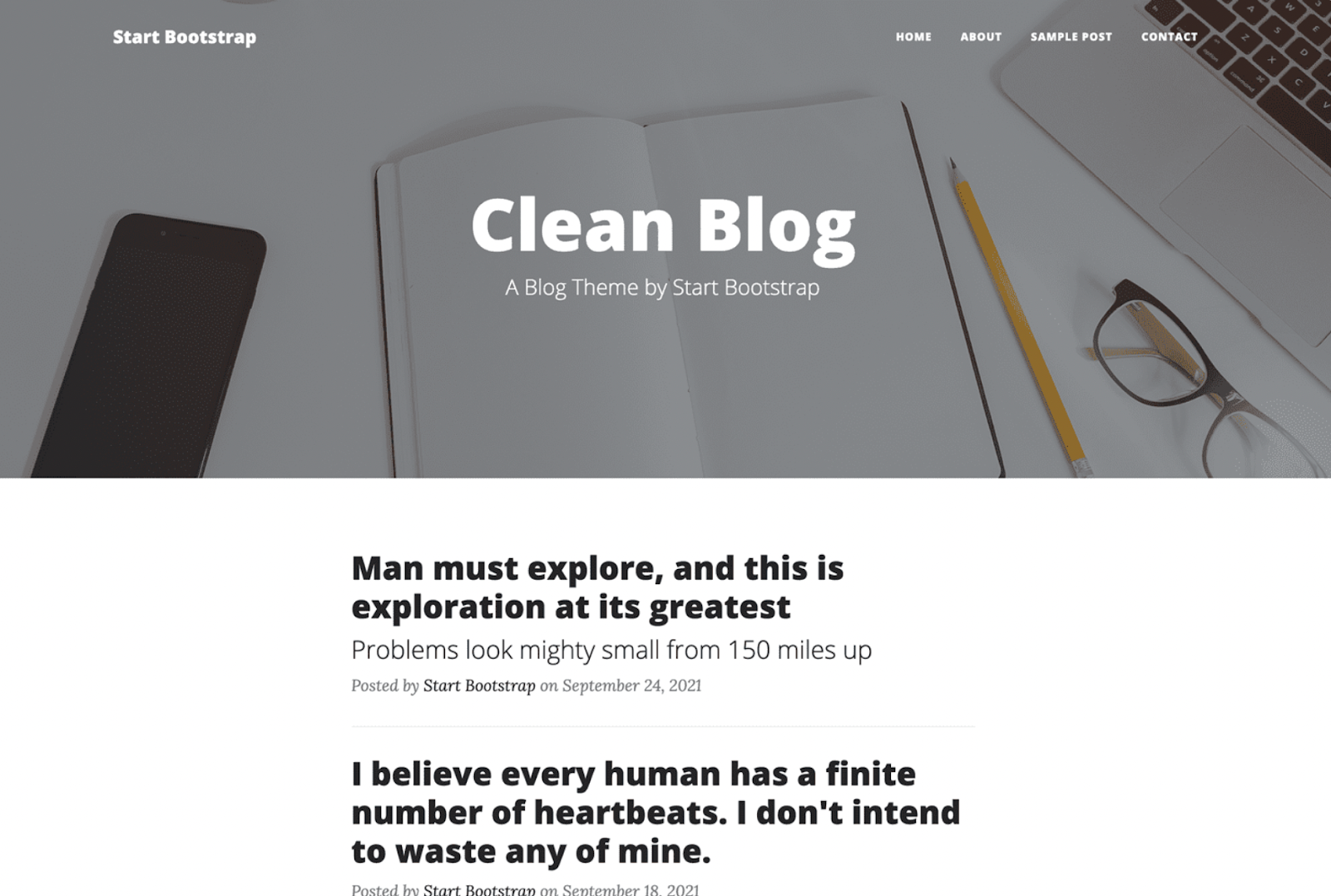
Why Clean Blog Theme is Great For UX Beginners:
- Clear Page Structure: The Clean Blog Theme includes everything you need to create a powerful blog. From a sample post feature to a blog index, the complete user journey is already structured, making it easy to navigate your website layout.
- Prioritises Readability: When searching for blog website template designs, readability is king. It’s crucial that your audience can engage with your content effortlessly. Start Bootstrap’s Clean Blog Theme has clean typography, generous spacing, and a distraction-free design, allowing users to focus on the text rather than confusing clutter and pop-ups.
- Intuitive Navigation: Website builder templates with sticky navigation menus are perfect for beginner designers. Clean Blog’s sticky menu that appears on scroll helps users move through your blog effortlessly.
Our Score: 8.5
Start Bootstrap’s Clean Blog Theme is one of our favourite beginner website builder templates for startup bloggers. With a powerful page structure and a minimalistic website layout, your content takes centre stage. We would have loved to see a few more customisation elements in the design suite, but if you’re looking for a click-and-go template, this one is for you.
5. Pixelarity: Visualize
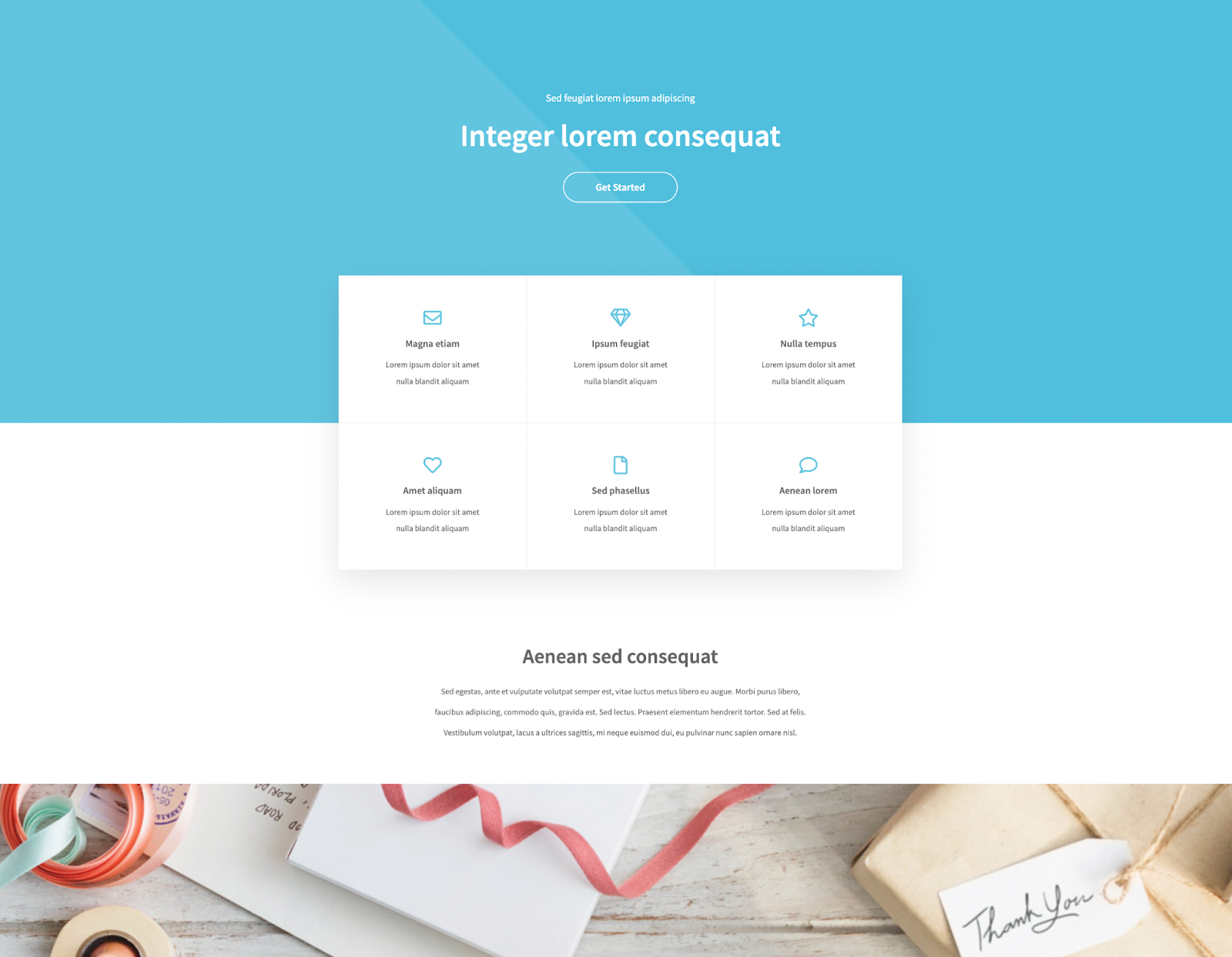
Pixelarity’s Visualize is another example of a website builder template that generates a professional-looking site without complexity.
For UX beginners who want to understand how clean, semantic code and clear website layouts translate into high engagement, Visualize is the website design template for you.
Why Visualize is Great For UX Beginners:
- Simplified Design: Visualize’s simplified colour palette helps teach UX beginners core concepts such as visual hierarchy, mobile-first design and user-friendly navigation. With the ability to generate your small business or startup a professional-looking site without the complexity, Visualize offers web design novices a solid structure without lots of overwhelming add-ons.
- Real-Time Support: All of Pixelarity’s website builder templates come with built-in support for UX beginners. From accompanying online guides to chatbots that can answer any design questions, Visualize makes the web design process easy.
- Iconography & Buttons: When customising Visualize’s website homepage design, you can choose from a wide selection of free icons and buttons that help your business tell its story. Better still, these can be customized to reflect your branding colours.
Our Score: 8
Visualize by Pixelarity is a purpose-built website builder template. With a simplified structure, cohesive colour scheme and customisable iconography, it’s a brilliant beginner-friendly website layout for business leaders branching out. While it doesn’t quite match the modern design features on Hostinger, it does offer a fully coded site structure for less.
Level Up Your Website Homepage Design
Website builder templates instantly level up your web design. For UX beginners, coding a website that drives engagement takes time and effort a startup team does not have.
Opting for a powerful website design template is the key to launching your website in just a few clicks. With most website layouts now compatible with multiple screens and customisable to match your brand’s online vision, a strong design template could lay the foundation for a successful online presence.


